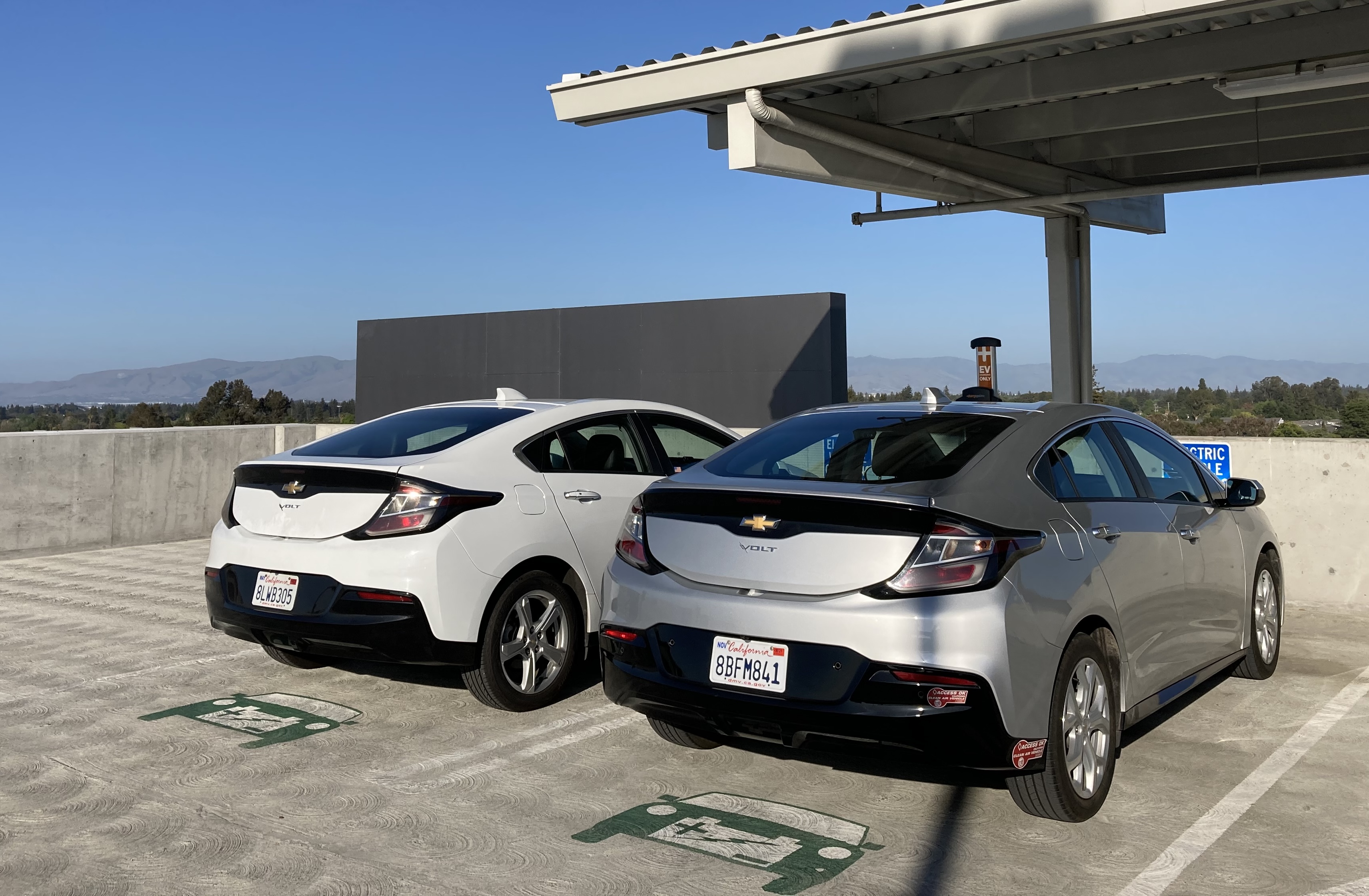
This is a simple guide for disabling the OnStar cellular connectivity in a 2nd-generation Chevy Volt by disconnecting the cellular antenna and replacing it with a termination load.[1]
This procedure is easily reversible and does not affect GPS, Bluetooth, or other functionality. In addition, no tools are needed, the parts cost only a few dollars, and it takes only a few minutes!
Note that this does disable the SOS calling function of the car.
Motivation
It has been well-documented that modern cars (and even specifically the Volt) are terrible for privacy. They collect a large amount of sensitive data, including locations and driving habits, which is often then shared or sold to third parties. Recently, GM was found to be sharing individuals' driving data with insurance companies, often without the knowledge or understanding consent of the drivers. (After the NYT reported it, GM stopped doing this, but clearly this data is easily misused.)
I just want my car to be a car, not a data collection device.
When I first bought my Volt, I made sure that OnStar was not activated. However, I wasn't sure if that actually meant that the car would stop collecting and transmitting data. By physically disabling the cellular antenna, I can be more sure that the car isn't transmitting data.
Parts
You will need to buy:
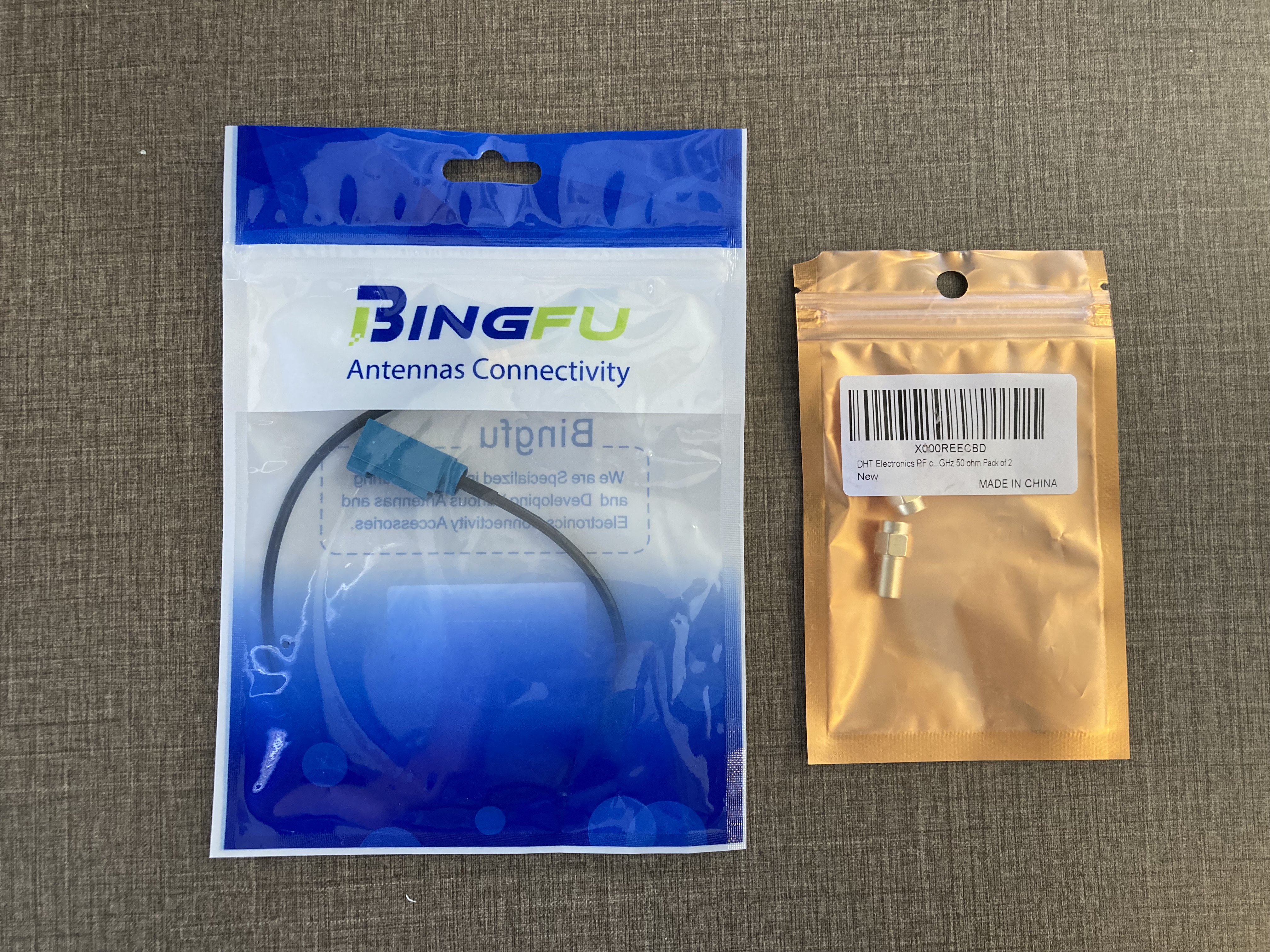
- One Fakra Z female to SMA female antenna adapter cable. I bought this one on Amazon for $7.
- One SMA male 50 ohm termination load. I bought this pack of two on Amazon for $5.50.
This is what I received from Amazon:
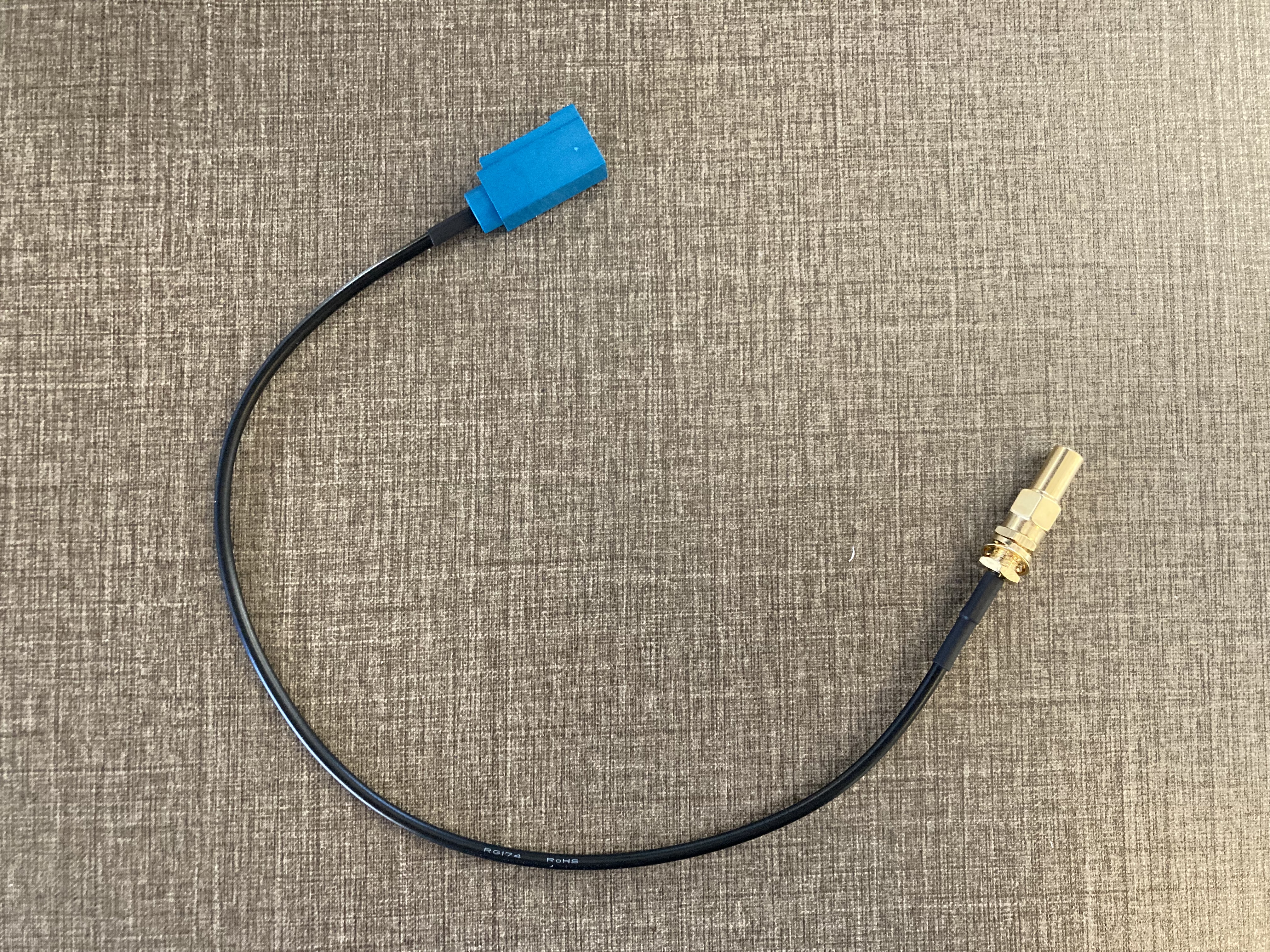
Assemble by screwing the 50 ohm termination load onto the SMA female end of the cable:
Procedure
-
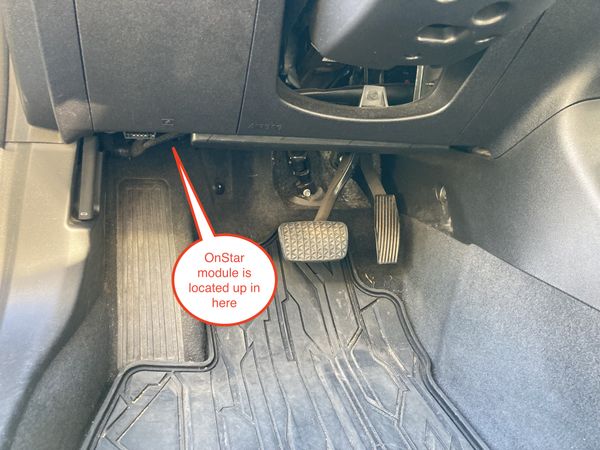
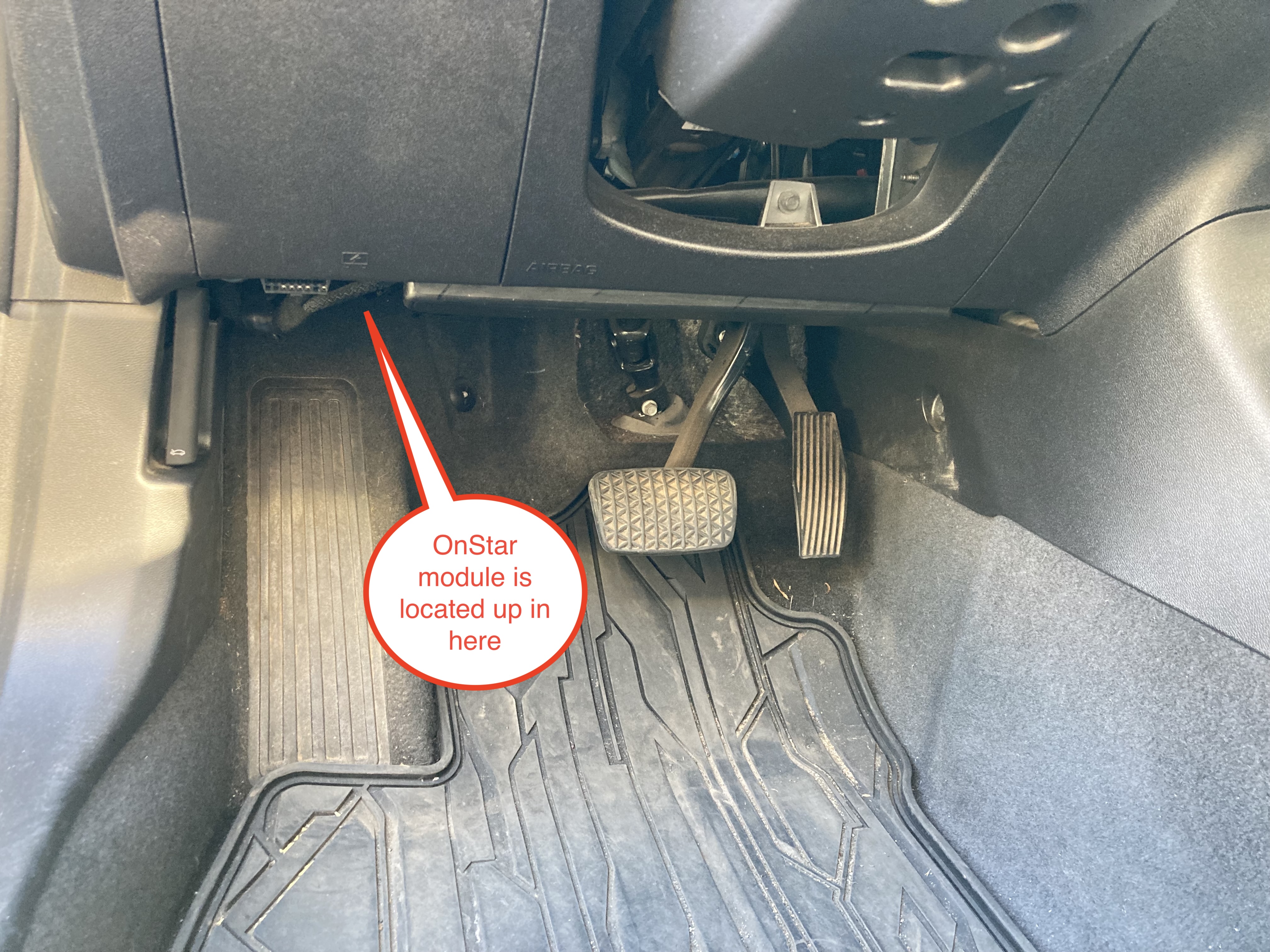
Start with the car turned off. Find the OnStar module (a.k.a. VCIM, for Vehicle Communication Interface Module), which is in the driver's footwell above and to the left of the brake pedal.
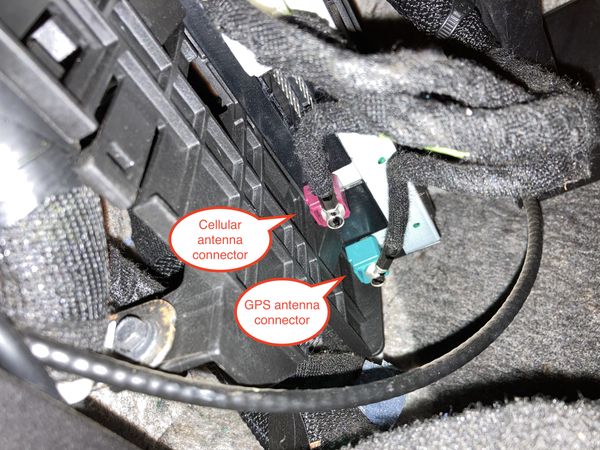
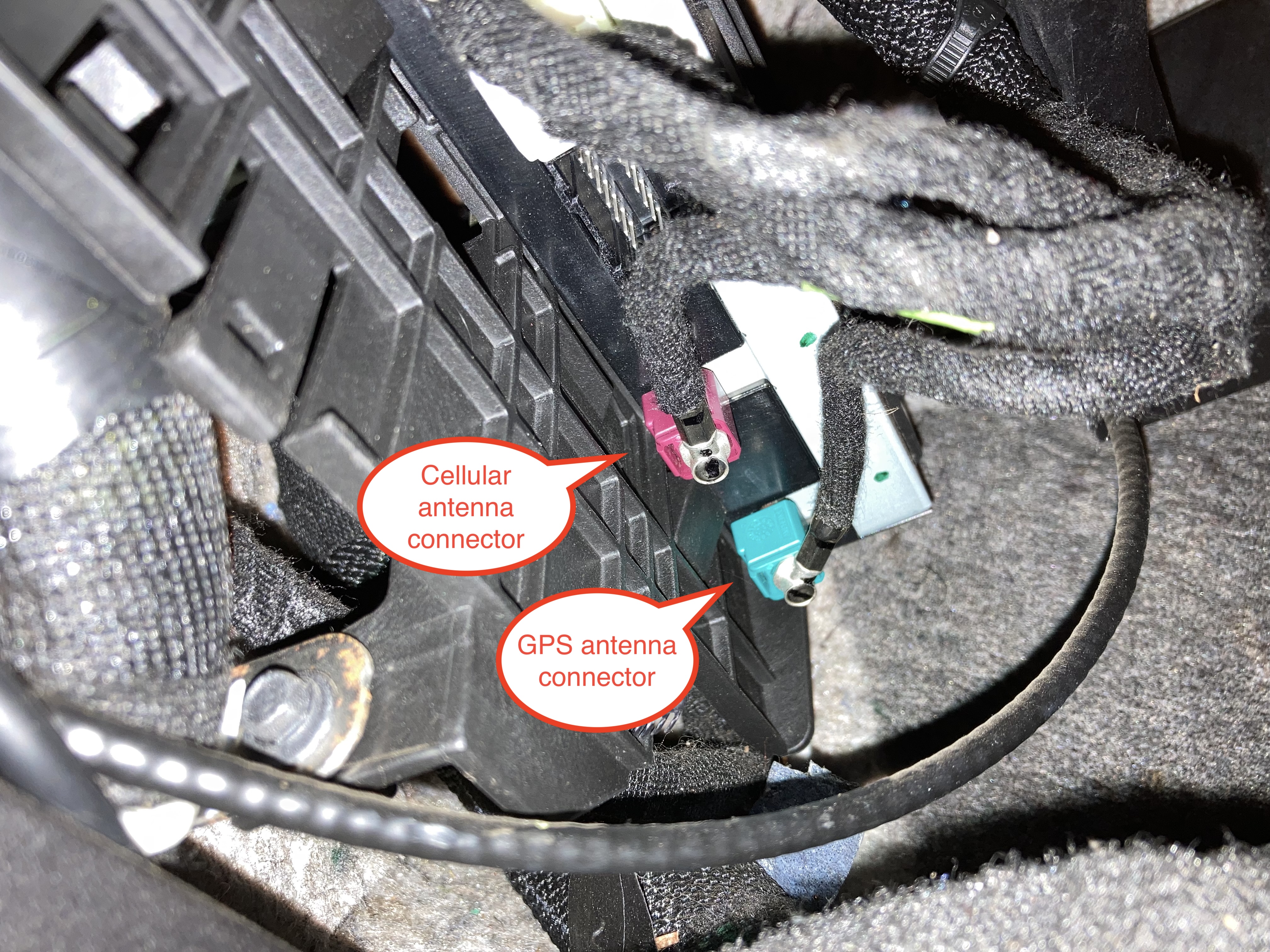
There are two antenna connectors on the bottom of the OnStar module: One purple colored for the cellular antenna, and one blue colored for the GPS antenna.[2]
-
Unplug the purple cellular antenna connector. There is a clip on the side of the connector which you will have to squeeze with your fingers in order to unplug the connector.
-
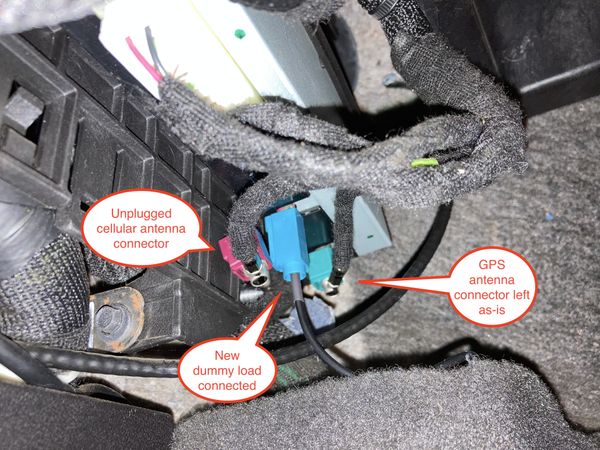
Plug in your adapter cable and termination load. Coil and tuck the cable somewhere so that it is out of the way and won't interfere with the pedals.
My end result looked like this:
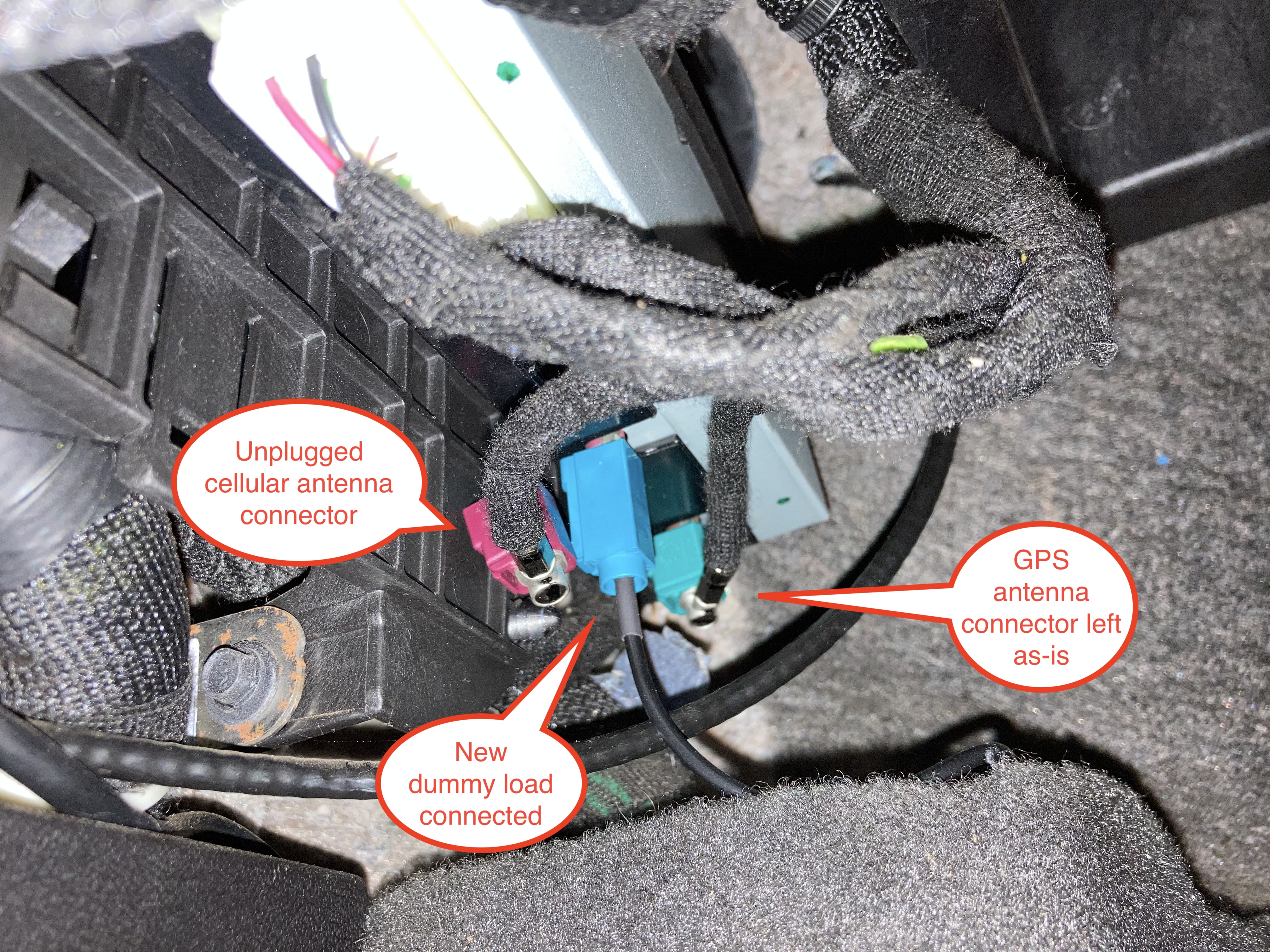
That's it!
Conclusion
I tested this by pressing the OnStar button in the overhead console and attempting to call OnStar. The car attempted to make the call but just beeped indefinitely instead of successfully ringing and connecting, so I'm satisfied that the cellular connection has been disabled.
It's possible that the car will continue to log data and then upload it if I ever reconnect the cellular antenna in the future (e.g., if I'm selling the car). I guess I'll just have to make sure to "factory reset" the car as much as possible before I reconnect the antenna.
References
I figured out how to do this from the following helpful guides:
-
https://www.gm-volt.com/threads/2016-vcim-onstar-module-location-and-how-to-disable-onstar.342634/: Guide on finding the VCIM. Instead of using a termination load, this person opted to open up the VCIM and remove the radio daughterboard entirely.
-
https://www.reddit.com/r/BoltEV/comments/16h91a6/i_made_a_step_by_step_guide_to_disable_onstar_on/: Guide on using a termination load to disable OnStar on a Bolt.
You could simply disconnect the antenna, but the termination load is important for completely blocking the signal and for preventing damage to the cellular radio due to transmitting without a load. ↩︎
I determined this by plugging my termination load into each of the antenna connectors. When my termination load was plugged into the blue connector, my GPS didn't work. ↩︎
